Banker Assist
An AI banker that runs entirely inside your bank.
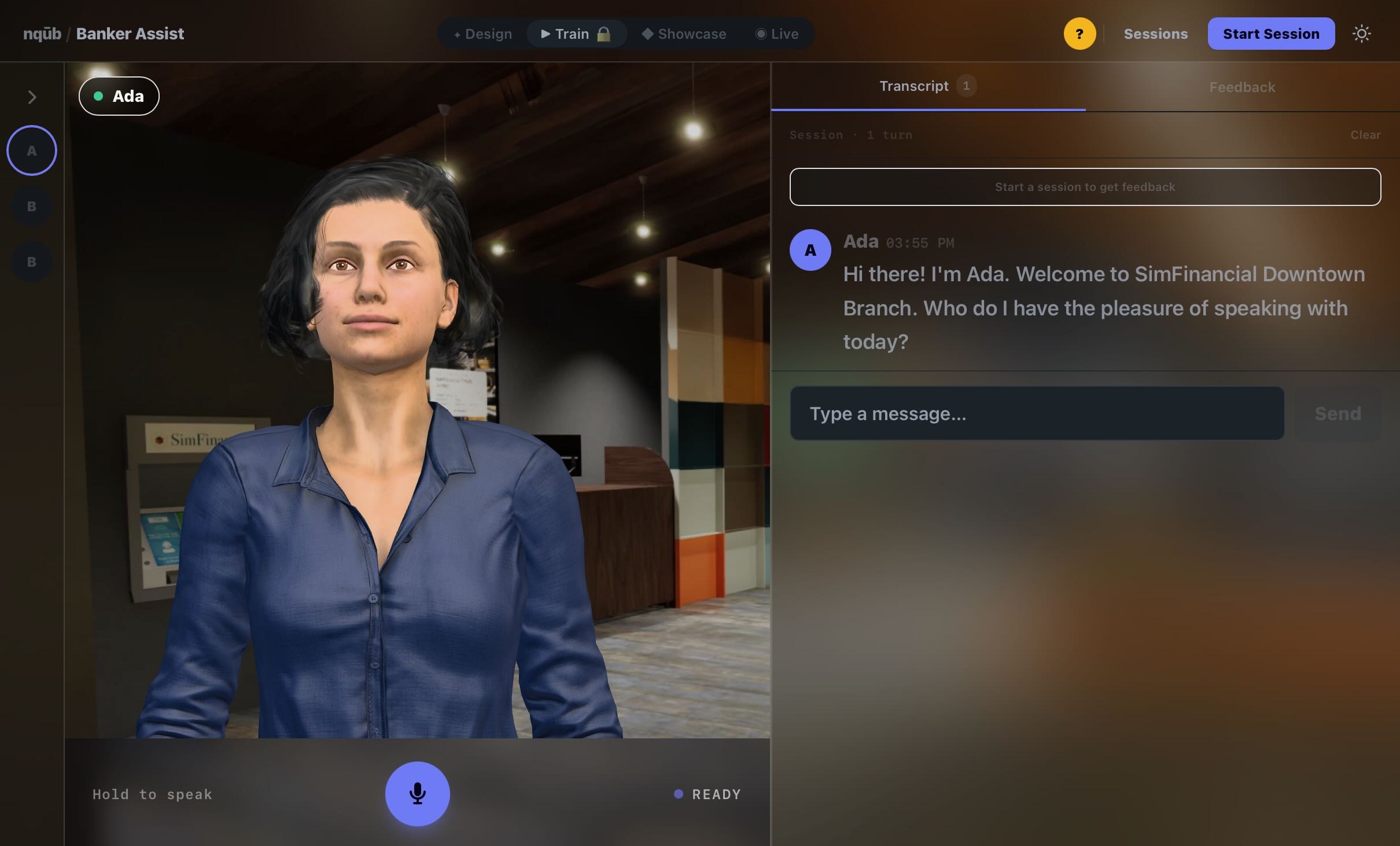
Banker Assist is a self-contained AI appliance loaded with your products, rates, procedures, and branding. It answers out loud as a lifelike banker avatar, shows the document behind every answer, and is designed to run inside your four walls, with no internet connection and no cloud service.
- Runs on-premises
- Works with no internet connection
- Cites its sources
- Your content, your brand
- Voice and lifelike avatar
- Works on iPads and lobby screens
- Session logs for review
Air-gapped by design
The AI runs on the appliance itself, so your conversations can stay inside your bank.
- Speech recognition, the language model, knowledge search, and voice all run on the appliance itself.
- It needs no cloud account or outside AI service to answer.
- It is designed to work with no internet connection, so conversations stay on the appliance.
- It arrives ready to use: plug it in, load your documents, and start in one room.
It speaks your institution
It answers only from your own documents, in your terms, and shows its source every time.
- It is loaded with your product sheets, fee schedules, FAQs, procedures, and policies, and answers in your terminology and your branding.
- Every answer cites its source, and you can open the exact passage it came from.
- When your documents don’t cover a question, it is designed to say so and point to a real person instead of guessing.
- It is built not to promise refunds or fee waivers, and not to claim it can see or change accounts.
One appliance, every room
The same appliance trains new hires, supports your staff, and welcomes your customers.
- Training roomsNew hires practice difficult conversations by voice with lifelike AI customers, as often as they like.
- Back officeStaff get answers on procedures and products, with sources.
- BranchesBankers get live coaching cues during real conversations.
- LobbyA greeter avatar welcomes customers, answers common questions, and hands off to your team, on a lobby screen or an iPad.
- SimulationsIt plays realistic customer visits inside the Branch Experience Simulator.
Built for your second line of defense
Built for review by your information security, risk, and compliance teams.
For your chief risk officer, chief information security officer, and chief compliance officer.
- No cloud AI provider sits in your data path, because the models run on the appliance itself.
- You control the knowledge. It answers from the content you load, and you decide when that content changes.
- Sessions are logged locally for review, and each answer shows which document it used.
- Its guardrails are visible: checks are built to catch unsupported figures, promises it can’t keep, and instructions it should not repeat.
- It is built on commercially licensed open-source models, not a single vendor’s cloud model.
- Answers can be tested for accuracy, sources, and refusals before a content change goes live.
Where it fits
Your team is ready before opening day and supported through the first year.
Before opening day
Every banker practices the conversations that matter most with AI customers built from your branch’s own journeys, not a generic script.
The first year
New staff meet situations no script covered. Practice continues on the cases they actually see, and answers stay grounded in your current procedures.
Start here
See it answer from your own fee schedule.
Bring us 20 of your procedures, and we’ll show you the appliance answering them. Or start with a pilot in one training room.